

Control Flow in JavaScript: If, Else, and Switch Explained
What is Control Flow in Programming?
Control flow decides which part of your code runs and when.
In real life, we make decisions daily:
If it’s raining → take an umbrella ☔
If you score above 90 → you get an A grade
If today is Sunday → relax
Programming works the same way. JavaScript uses conditional statements to control the flow of execution.
1️⃣ The if Statement
The if statement runs a block of code only if a condition is true.
Syntax
if (condition) {
  // code runs if condition is true
}
Example: Checking Age
let age = 18;

if (age >= 18) {
  console.log("You are eligible to vote.");
}
Step-by-Step Execution
JavaScript checks:
age >= 18If true → it runs the code inside
{ }If false → it skips the block
2️⃣ The if-else Statement
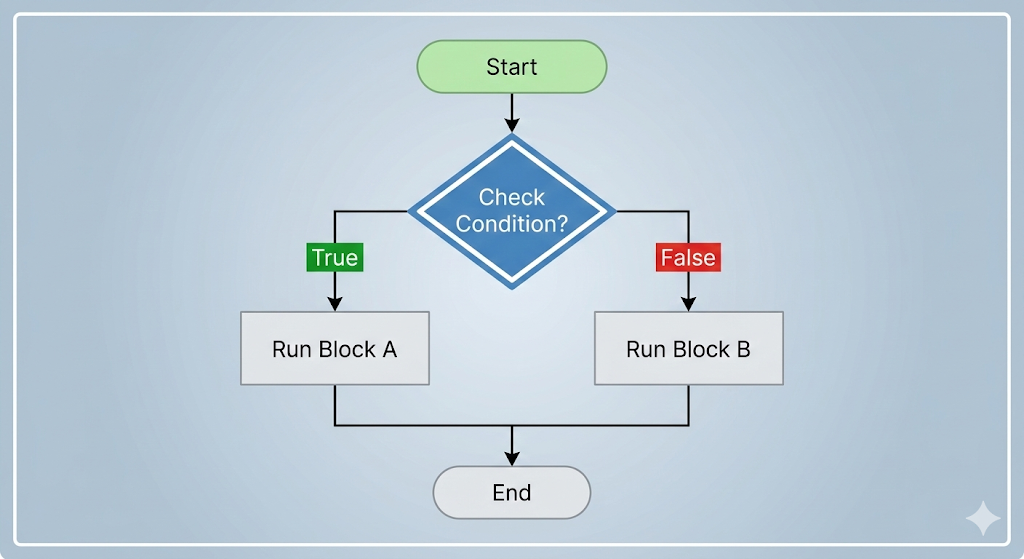
When you want one block to run if true, and another if false.
Syntax
if (condition) {
  // runs if true
} else {
  // runs if false
}
Example: Pass or Fail
let eng_marks = 40;

if (eng_marks >= 35) {
  console.log("You Passed!");
} else {
  console.log("You Failed.");
}
// if block will execute

let hin_marks = 30;

if (hin_marks >= 35) {
  console.log("You Passed!");
} else {
  console.log("You Failed.");
}
// else block will execute
How It Runs
Condition checked
If true → first block runs
Otherwise →
elseblock runs
Only one block executes.
3️⃣ The else if Ladder
Used when you have multiple conditions.
Syntax
if (condition1) {
  // block 1
} else if (condition2) {
  // block 2
} else {
  // default block
}
Example: Grade Checker
let marks = 82;

if (marks >= 90) {
  console.log("Grade A");
} else if (marks >= 75) {
  console.log("Grade B");
} else if (marks >= 50) {
  console.log("Grade C");
} else {
  console.log("Fail");
}
How It Works
JavaScript checks conditions top to bottom
As soon as one condition is true → it stops checking
Only one block runs
4️⃣ The switch Statement
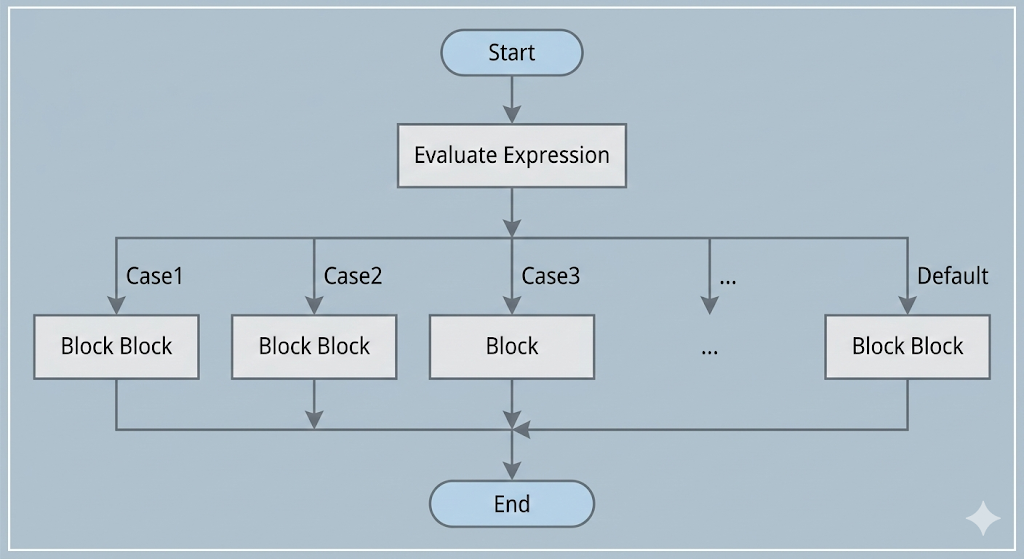
The switch statement is used when you want to compare one value against many possible cases.
Syntax
switch (expression) {
  case value1:
    // code
    break;

  case value2:
    // code
    break;

  default:
    // runs if no case matches
}
Example: Day of the Week
let day = 3;

switch (day) {
  case 1:
    console.log("Monday");
    break;

  case 2:
    console.log("Tuesday");
    break;

  case 3:
    console.log("Wednesday");
    break;

  default:
    console.log("Invalid day");
}
⚠️ Why is break Important?
If you don’t use break, JavaScript continues executing the next cases (this is called fall-through).
Example without break:
let day = 1;

switch (day) {
  case 1:
    console.log("Monday");
  case 2:
    console.log("Tuesday");
}
Output:
Monday
Tuesday
Because there was no break after case 1.
When to Use switch 🆚if-else
Use if-else When |
Use switch When |
|---|---|
| You check ranges (marks > 90) | You compare one value |
| You use complex conditions | Many exact matches |
| Conditions involve logical operators | Clean menu-style cases |
Example:
✔ Marks grading → if-else
✔ Menu selection (1, 2, 3, 4) → switch
📘Assignment:
Go and try yourself these two question also explain which control structure you used and why ?
Write a program that checks whether a number is positive, negative, or zero.
Write a program that prints the day of the week using a switch statement.
1️⃣ Program: Positive, Negative, or Zero
let num = -5;

if (num > 0) {
  console.log("Positive number");
} else if (num < 0) {
  console.log("Negative number");
} else {
  console.log("Zero");
}
Why if-else?
Because we are checking ranges and conditions, not exact fixed values.
2️⃣ Program: Print Day Using switch
let day = 5;

switch (day) {
  case 1:
    console.log("Monday");
    break;
  case 2:
    console.log("Tuesday");
    break;
  case 3:
    console.log("Wednesday");
    break;
  case 4:
    console.log("Thursday");
    break;
  case 5:
    console.log("Friday");
    break;
  case 6:
    console.log("Saturday");
    break;
  case 7:
    console.log("Sunday");
    break;
  default:
    console.log("Invalid day");
}
Why switch?
Because we are matching one value (day) against multiple fixed values (1–7).
Final Summary
Control flow controls how your program makes decisions.
if→ runs code if condition is true.if-else→ chooses between two blocks.else if→ checks multiple conditions.switch→ compares one value against many cases.Always remember to use
breakinswitch.
