

Understanding Network Devices: A Software Engineer's Guide to Hardware
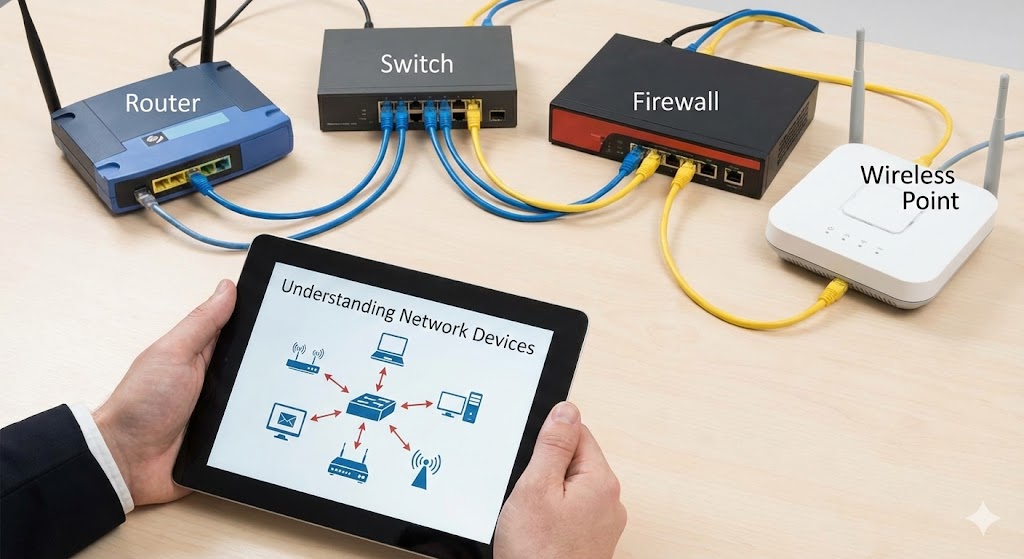
When you open a browser and load a web-page, or when your backend API handles thousands of concurrent requests, there's an intricate dance of network devices working behind the scenes. As software engineers, we often abstract away the hardware layer, but understanding these fundamental building blocks can make you a better system designer, debugger, and architect.
Let's dive into the core network devices that connect our code to the world.
How the Internet Reaches You: The Big Picture
Before diving into individual devices, imagine the internet as a vast network of roads. Your data travels from remote servers (like Google's data centers) through multiple highways, intersections, and local streets before arriving at your laptop. Here's the journey:
Internet Service Provider (ISP) delivers internet connectivity to your location via cable, fiber, or DSL
Modem translates the ISP's signal into data your network can use
Router directs traffic between the internet and your local network
Switch connects multiple devices within your local network
Firewall inspects and filters traffic for security
Load Balancer distributes requests across multiple servers (in production environments)
Now let's examine each device in detail.
1. Modem: Your Gateway to the Internet
What is a Modem?
A modem (modulator-demodulator) is the device that connects your local network to your Internet Service Provider (ISP). Think of it as a translator that converts signals between two different languages.
How it Works
Analog to Digital Conversion: Your ISP transmits data as analog signals over cable, DSL, or fiber optic lines. The modem converts these signals into digital data that your devices can understand, and vice versa.
WAN Connection: The modem has a WAN (Wide Area Network) port that connects to your ISP's infrastructure via a coaxial cable, phone line, or fiber optic cable.
One Public IP: Your modem receives one public IP address from your ISP, which represents your entire network to the outside internet.
Real-World Analogy
A modem is like a post office at the edge of your town. It receives packages (data) from the outside world, converts them into a format your town can use, and sends outgoing packages to external destinations.
Why Software Engineers Care
Your application's external API calls must pass through the modem
Upload/download speeds are limited by modem capabilities
When debugging connectivity issues, the modem is often the first checkpoint
2. Router: The Traffic Director
What is a Router?
A router connects multiple networks together and makes intelligent decisions about where to send data packets. In home and office settings, it connects your local network (LAN) to the internet (WAN).
How it Works
Routing Decisions: Uses routing tables and IP addresses to determine the best path for each data packet
NAT (Network Address Translation): Translates private IP addresses (like 192.168.1.5) used by devices on your local network into a single public IP address when communicating with the internet
DHCP Server: Automatically assigns private IP addresses to devices that join your network
Traffic Management: Prioritizes certain types of traffic (QoS - Quality of Service) and can implement basic security rules
Real-World Analogy
A router is like a traffic police officer at a busy intersection. It looks at the destination address on each vehicle (packet) and directs it to the correct road (network path), ensuring traffic flows efficiently.
Modem vs Router: What's the Difference?
| Feature | Modem | Router |
|---|---|---|
| Purpose | Connects to ISP | Connects devices to each other and to modem |
| Translation | Analog ↔ Digital | Private IPs ↔ Public IP (NAT) |
| IP Assignment | Receives 1 public IP | Assigns private IPs via DHCP |
| Ports | 1 output (to router/device) | Multiple LAN ports + 1 WAN port |
Key Insight: In many modern setups, you have a combination modem-router device, but they serve distinct functions.
Why Software Engineers Care
Understanding NAT is crucial for port forwarding and hosting local servers
Routers implement the first layer of security (firewall rules)
Load balancing at the DNS/router level affects how requests reach your application
3. Switch vs Hub: Local Network Architecture
When you need to connect multiple devices on the same network, you use either a hub or a switch. While hubs are largely obsolete, understanding the difference illuminates fundamental networking concepts.
Hub: The Broadcaster (Legacy)
How it works:
Receives data on one port and broadcasts it to ALL other ports
No intelligence—every device sees every packet
Devices must check if the packet is meant for them
Real-World Analogy: A hub is like shouting in a crowded room. Everyone hears your message, but only the intended recipient responds. This creates noise and wastes bandwidth.
Problems:
Collision Domain: Only one device can transmit at a time
No Privacy: Every device can see traffic meant for others
Inefficient: Wastes bandwidth broadcasting to uninterested devices
Switch: The Smart Traffic Manager
How it works:
Learns which devices are connected to which ports by examining MAC addresses
Maintains a MAC address table (CAM table)
Sends data only to the specific port where the destination device is connected
Creates isolated collision domains per port
Real-World Analogy: A switch is like a mail sorting facility that knows exactly which delivery truck to put each package on based on the address. Only the intended recipient receives the package.
Hub vs Switch Comparison
| Feature | Hub | Switch |
|---|---|---|
| Intelligence | None (broadcasts everything) | Learns MAC addresses |
| Efficiency | Low (wastes bandwidth) | High (targeted delivery) |
| Collision Domain | One shared domain | Per-port isolation |
| Speed | Half-duplex (send OR receive) | Full-duplex (send AND receive) |
| Security | Low (all traffic visible) | Higher (port isolation) |
| Modern Use | Obsolete | Standard |
Why Software Engineers Care
Switches are the backbone of data center networking
Understanding switch behavior helps debug local network performance issues
Modern container orchestration (Kubernetes) uses software-defined switches (like Open vSwitch)
Microservices often communicate through switched networks
4. Firewall: The Security Gatekeeper
What is a Firewall?
A firewall is a security device (hardware or software) that monitors and controls incoming and outgoing network traffic based on predetermined security rules. It acts as a barrier between trusted internal networks and untrusted external networks.
How it Works
Packet Filtering:
Examines packet headers (source IP, destination IP, port, protocol)
Allows or blocks traffic based on rules (ACLs - Access Control Lists)
Stateful Inspection:
Tracks the state of active connections
Allows return traffic for legitimate outbound connections
Blocks unsolicited inbound connections
Application Layer Filtering:
Deep packet inspection (DPI) to analyze application-level data
Can detect and block specific types of malicious content
Types of Firewalls
Network Firewall: Hardware device at network perimeter
Host Firewall: Software running on individual devices (like Windows Firewall, iptables)
Cloud Firewall: Security groups in AWS, Azure, GCP
Real-World Analogy
A firewall is like a security checkpoint at an office building. It checks credentials (packet headers), verifies purpose (ports and protocols), and only allows authorized traffic to pass through. It also remembers who left the building and allows them back in.
Common Firewall Rules
# Allow HTTP and HTTPS traffic
ALLOW TCP port 80 from ANY to WEB_SERVER
ALLOW TCP port 443 from ANY to WEB_SERVER

# Allow SSH from specific IP
ALLOW TCP port 22 from 203.0.113.50 to SERVER

# Block all other inbound traffic
DENY all from ANY to ANY
Why Software Engineers Care
Firewall rules directly impact application accessibility
Debugging "connection refused" errors often involves firewall configuration
Containerized applications (Docker, Kubernetes) use firewall-like network policies
API security design must account for firewall capabilities and limitations
Understanding security groups is essential for cloud deployments
5. Load Balancer: The Scalability Engine
What is a Load Balancer?
A load balancer distributes incoming network traffic across multiple servers to ensure no single server becomes overwhelmed. It's the secret sauce behind high-availability systems that can handle millions of requests.
How it Works
Traffic Distribution:
Receives client requests on a single IP address or DNS name
Distributes requests across a pool of backend servers using various algorithms
Monitors server health and removes unhealthy servers from rotation
Load Balancing Algorithms:
Round Robin: Distributes requests sequentially (Server1 → Server2 → Server3 → repeat)
Least Connections: Sends traffic to server with fewest active connections
IP Hash: Routes based on client IP (ensures same client hits same server)
Weighted Round Robin: Sends more traffic to servers with higher capacity
Least Response Time: Routes to server with fastest response time
Types of Load Balancers
Layer 4 (Transport Layer):
Routes based on IP and port
Fast but limited intelligence
Example: AWS Network Load Balancer
Layer 7 (Application Layer):
Routes based on HTTP headers, cookies, URL paths
Content-based routing (e.g.,
/api/*to API servers,/images/*to CDN)Example: AWS Application Load Balancer, NGINX, HAProxy
Real-World Analogy
A load balancer is like the reception desk at a bank with multiple tellers. The receptionist (load balancer) looks at the queue length at each teller (server), checks if any teller is on break (health check), and directs the next customer to the most available teller.
Health Checks
Load balancers continuously monitor server health:
# Example health check configuration
Health Check: HTTP GET /health
Interval: 10 seconds
Timeout: 5 seconds
Unhealthy Threshold: 3 consecutive failures
Healthy Threshold: 2 consecutive successes
Why Software Engineers Care
Essential for horizontal scaling (adding more servers)
Enables zero-downtime deployments (blue-green, canary)
Session persistence must be designed correctly (sticky sessions vs stateless)
Backend services must be designed to work behind load balancers
Understanding load balancer behavior is crucial for distributed system design
Many production bugs only appear under load-balanced conditions
6. How Everything Works Together: Real-World Architecture
[Laptop] → [Switch] → [Router] → [Modem] → ISP Network
ISP → Internet Backbone → Content Delivery Network (CDN) → Cloud Provider Container Networking (Docker, Kubernetes)
Conclusion
Network devices are the unsung heroes of our connected world. As software engineers, we build applications that rely on this infrastructure every day. Understanding how modems connect us to the internet, how routers direct traffic, how switches enable local communication, how firewalls protect our systems, and how load balancers enable scale transforms us from code writers into system designers.
The next time you deploy a service, configure a security group, or debug a connection timeout, you'll understand the physical and virtual devices working together to make it all possible. This knowledge doesn't just help you build better systems—it helps you build systems that are faster, more secure, and more resilient.
Happy networking!
Happy Coding!
